Build a Shopify product quiz without an app, and know what you give up
A product quiz is a short list of questions and a way to match answers to products. Your product tags can do the matching. The hard part is avoiding a results page with nothing on it.
Key takeaways
- Each question is a block with up to four answers, and each answer carries one product tag. Products are ranked by how many of the chosen tags they have.
- Linking to /collections/handle/tag1+tag2 can dead-end, since Shopify's tag filter needs every tag on one product. Scoring always finds the closest match.
- The section only ranks the products it loads, 24 here, so it suits a focused collection and not a whole catalog.
- Email capture and custom events are possible without an app. Answer reports, branching logic and email flows take far more work, and that's where a quiz app is worth paying for.
Before any code, write the quiz on paper, because the tags you need come straight from it. Imagine a small tea shop (invented for this guide) that wants three questions:
| Question | Answer | Tag on matching products |
|---|---|---|
| When do you drink it? | Morning / Afternoon / Evening | morning / afternoon / evening |
| How strong? | Gentle / Medium / Bold | gentle / medium / bold |
| Caffeine? | Yes please / Rather not | caffeine / caffeine-free |
Then tag every tea with what's true of it. A chamomile gets evening, gentle and caffeine-free. Look down the list for gaps: if no bold tea is caffeine-free, a shopper who picks both needs a sensible answer. This hour of tagging decides how good the quiz is, far more than the code does.
Why this ranks products and doesn't link to a filtered collection
The obvious way to build this is to collect the tags and send the shopper to a collection URL. Shopify supports tag filtering by URL, as in /collections/tea/evening+gentle+caffeine-free. It's a good feature with a catch for quizzes: tags combine with AND, and Shopify's docs say that if no product has all of them, the customer sees a page with no results. Three questions with three answers each gives 18 combinations in our tea example, and you'd need stock for all of them. A quiz that ends on an empty page is worse than having no quiz.
So this section loads a collection's products into the page and scores each one by how many chosen tags it has, then shows the best few. A shopper with an unusual combination still gets the closest teas. Ties keep the collection's order, so the merchant's sort order acts as a tie-break, which is usually what you'd want anyway.
The complete quiz section
{%- assign sid = 'quiz-' | append: section.id -%}
{%- assign source = section.settings.collection -%}

{% style %}
  #{{ sid }} { max-width: 760px; margin: 0 auto; padding: 56px 16px; color: {{ section.settings.text }}; }
  #{{ sid }} h2, #{{ sid }} h3 { margin: 0 0 12px; color: inherit; }
  #{{ sid }} .quiz__intro { margin: 0 0 24px; }
  #{{ sid }} .quiz__questions, #{{ sid }} .quiz__restart { display: none; }
  #{{ sid }}.is-ready .quiz__questions { display: block; }
  #{{ sid }}.is-ready .quiz__restart { display: inline-flex; }
  #{{ sid }} [hidden] { display: none !important; }
  #{{ sid }} .quiz__step { margin: 0 0 6px; font-size: 13px; }
  #{{ sid }} .quiz__answers { display: grid; gap: 10px; }
  #{{ sid }} .quiz__answer { min-height: 52px; padding: 10px 16px; font-size: 16px; text-align: left; color: inherit; background: none; border: 1px solid currentColor; border-radius: 10px; cursor: pointer; transition: background-color .15s ease, color .15s ease; }
  #{{ sid }} .quiz__answer:hover { background: {{ section.settings.accent }}; color: {{ section.settings.accent_text }}; }
  #{{ sid }} .quiz__list { display: grid; grid-template-columns: repeat(auto-fill, minmax(190px, 1fr)); gap: 16px; list-style: none; margin: 16px 0 24px; padding: 0; }
  #{{ sid }} .quiz__card a { display: block; color: inherit; text-decoration: none; }
  #{{ sid }} .quiz__card img { display: block; width: 100%; height: auto; border-radius: 8px; }
  #{{ sid }} .quiz__card-title { display: block; margin-top: 8px; font-size: 15px; }
  #{{ sid }} .quiz__card-price { display: block; font-size: 14px; }
  #{{ sid }} .quiz__links { display: flex; flex-wrap: wrap; gap: 16px; align-items: center; }
  #{{ sid }} .quiz__restart { min-height: 44px; align-items: center; padding: 0; font: inherit; color: inherit; text-decoration: underline; background: none; border: 0; cursor: pointer; }
  #{{ sid }} button:focus-visible, #{{ sid }} a:focus-visible, #{{ sid }} h3:focus-visible { outline: 2px solid currentColor; outline-offset: 2px; }
  @media (prefers-reduced-motion: reduce) { #{{ sid }} .quiz__answer { transition: none; } }
{% endstyle %}

<div
  id="{{ sid }}"
  data-quiz
  data-show="{{ section.settings.results_shown }}"
  data-step="{{ section.settings.step_text | escape }}"
  style="background: {{ section.settings.background }};"
>
  <h2>{{ section.settings.heading | escape }}</h2>
  <p class="quiz__intro">{{ section.settings.intro | escape }}</p>

  <div class="quiz__questions">
    {%- for block in section.blocks -%}
      <div class="quiz__q" data-q {{ block.shopify_attributes }}>
        <p class="quiz__step" data-step-label></p>
        <h3 id="{{ sid }}-{{ block.id }}" tabindex="-1">{{ block.settings.question | escape }}</h3>
        <div class="quiz__answers" role="group" aria-labelledby="{{ sid }}-{{ block.id }}">
          {%- for n in (1..4) -%}
            {%- assign label_key = 'answer_' | append: n -%}
            {%- assign tag_key = 'tag_' | append: n -%}
            {%- if block.settings[label_key] != blank -%}
              <button type="button" class="quiz__answer" data-tag="{{ block.settings[tag_key] | handleize }}">{{ block.settings[label_key] | escape }}</button>
            {%- endif -%}
          {%- endfor -%}
        </div>
      </div>
    {%- endfor -%}
  </div>

  <div data-results>
    <h3 data-results-title tabindex="-1">{{ section.settings.results_title | escape }}</h3>
    <p data-none hidden>{{ section.settings.none_text | escape }}</p>
    <ul class="quiz__list" data-list>
      {%- for item in source.products limit: 24 -%}
        {%- if item.available -%}
          <li class="quiz__card" data-tags="{% for tag in item.tags %}{{ tag | handleize }} {% endfor %}">
            <a href="{{ item.url }}">
              {%- if item.featured_image -%}
                {{ item.featured_image | image_url: width: 500 | image_tag: loading: 'lazy', widths: '200, 300, 400, 500', sizes: '(min-width: 750px) 240px, 50vw' }}
              {%- endif -%}
              <span class="quiz__card-title">{{ item.title | escape }}</span>
              <span class="quiz__card-price">{{ item.price | money }}</span>
            </a>
          </li>
        {%- endif -%}
      {%- endfor -%}
    </ul>
    <div class="quiz__links">
      {%- if source != blank -%}
        <a href="{{ source.url }}">{{ section.settings.all_label | escape }}</a>
      {%- endif -%}
      <button type="button" class="quiz__restart" data-restart>{{ section.settings.restart_label | escape }}</button>
    </div>
  </div>
</div>

<script>
  (function () {
    function init(root) {
      if (!root || root.dataset.ready) return;
      root.dataset.ready = '1';
      root.classList.add('is-ready');
      var questions = [].slice.call(root.querySelectorAll('[data-q]'));
      var cards = [].slice.call(root.querySelectorAll('[data-tags]'));
      var results = root.querySelector('[data-results]');
      var list = root.querySelector('[data-list]');
      var none = root.querySelector('[data-none]');
      var max = +root.dataset.show;
      var picked = [];

      function ask(index, moveFocus) {
        results.hidden = true;
        questions.forEach(function (question, i) {
          question.hidden = i !== index;
          if (i === index) {
            question.querySelector('[data-step-label]').textContent = root.dataset.step
              .replace('[n]', i + 1)
              .replace('[total]', questions.length);
            if (moveFocus) question.querySelector('h3').focus();
          }
        });
      }

      function finish() {
        questions.forEach(function (question) { question.hidden = true; });
        var ranked = cards.map(function (card, order) {
          var tags = card.dataset.tags.trim().split(/\s+/);
          var score = picked.filter(function (tag) { return tag && tags.indexOf(tag) > -1; }).length;
          return { card: card, score: score, order: order };
        }).sort(function (a, b) { return b.score - a.score || a.order - b.order; });
        var shown = 0;
        ranked.forEach(function (row) {
          var show = row.score > 0 && shown < max;
          row.card.hidden = !show;
          if (show) shown += 1;
          list.appendChild(row.card);
        });
        none.hidden = shown > 0;
        results.hidden = false;
        results.querySelector('[data-results-title]').focus();
        if (window.Shopify && Shopify.analytics && Shopify.analytics.publish) {
          Shopify.analytics.publish('my_store:quiz_completed', { tags: picked, matches: shown });
        }
      }

      root.addEventListener('click', function (event) {
        var answer = event.target.closest('[data-tag]');
        if (answer) {
          picked.push(answer.dataset.tag);
          if (picked.length < questions.length) ask(picked.length, true);
          else finish();
        }
        if (event.target.closest('[data-restart]')) {
          picked = [];
          ask(0, true);
        }
      });

      // In the theme editor, show the question whose block is selected.
      document.addEventListener('shopify:block:select', function (event) {
        var index = questions.indexOf(event.target);
        if (index > -1) { picked = []; ask(index, false); }
      });

      if (questions.length) ask(0, false);
    }

    init(document.getElementById('{{ sid }}'));
    document.addEventListener('shopify:section:load', function (event) {
      init(event.target.querySelector('[data-quiz]'));
    });
  })();
</script>

{% schema %}
{
  "name": "Product quiz",
  "tag": "section",
  "max_blocks": 8,
  "settings": [
    { "type": "text", "id": "heading", "label": "Heading", "default": "Find your match" },
    { "type": "text", "id": "intro", "label": "Intro", "default": "A few quick questions and we'll suggest something." },
    { "type": "collection", "id": "collection", "label": "Products to choose from", "info": "The first 24 products that are in stock are scored." },
    { "type": "range", "id": "results_shown", "label": "Products to show", "min": 1, "max": 6, "step": 1, "default": 3 },
    { "type": "text", "id": "step_text", "label": "Progress text", "default": "Question [n] of [total]", "info": "[n] and [total] are filled in." },
    { "type": "text", "id": "results_title", "label": "Results heading", "default": "We'd start with these" },
    { "type": "text", "id": "none_text", "label": "No match message", "default": "Nothing matched those answers, but the full range is worth a look." },
    { "type": "text", "id": "all_label", "label": "Collection link", "default": "See the full range" },
    { "type": "text", "id": "restart_label", "label": "Restart button", "default": "Start again" },
    { "type": "color", "id": "background", "label": "Background", "default": "#ffffff" },
    { "type": "color", "id": "text", "label": "Text", "default": "#1a1a1a" },
    { "type": "color", "id": "accent", "label": "Answer hover", "default": "#1a1a1a" },
    { "type": "color", "id": "accent_text", "label": "Answer hover text", "default": "#ffffff" }
  ],
  "blocks": [
    {
      "type": "question",
      "name": "Question",
      "settings": [
        { "type": "text", "id": "question", "label": "Question", "default": "What are you looking for?" },
        { "type": "text", "id": "answer_1", "label": "Answer 1", "default": "First answer" },
        { "type": "text", "id": "tag_1", "label": "Answer 1 product tag" },
        { "type": "text", "id": "answer_2", "label": "Answer 2", "default": "Second answer" },
        { "type": "text", "id": "tag_2", "label": "Answer 2 product tag" },
        { "type": "text", "id": "answer_3", "label": "Answer 3" },
        { "type": "text", "id": "tag_3", "label": "Answer 3 product tag" },
        { "type": "text", "id": "answer_4", "label": "Answer 4" },
        { "type": "text", "id": "tag_4", "label": "Answer 4 product tag" }
      ]
    }
  ],
  "presets": [
    {
      "name": "Product quiz",
      "blocks": [ { "type": "question" }, { "type": "question" } ]
    }
  ]
}
{% endschema %}
To use it, add the section to your theme, choose a collection, then fill in each question's answers and the matching tags. Tags are compared as handles, so Caffeine Free in the admin matches caffeine-free in the setting, and vice versa. A typing mistake won't raise an error: that answer just never scores. Test each answer once.
How it behaves
Without JavaScript the questions stay hidden and the full list shows, so a search engine or a shopper with a blocked script still sees real products with real links. The answers are native buttons, so they work with a keyboard, and after each answer focus moves to the next question's heading so screen reader users hear what changed. In the theme editor, selecting a question block jumps to that question, which is what Shopify expects of blocks.
Two limits come from choices in the code. First, the limit: 24 means products beyond the first 24 never get scored. You can raise it, but every card is markup and an image reference on the page, and with a catalog of hundreds this approach is the wrong tool. Point it at a focused collection. Second, every answer counts equally. If caffeine should rule a product out instead of nudging it down, you'd check for that tag first in the scoring function and skip products that fail.
What you lose compared with a quiz app
| Feature | This section | A typical quiz app |
|---|---|---|
| Question flow | Fixed order | Branching, where one answer changes the next question |
| Matching | Tag scoring, in the page | Rules per answer, often weighted, across the whole catalog |
| Which answers people choose | Only if you connect a pixel | Usually a built-in report |
| Email capture | A separate Shopify form, described below | Built into the flow, often before results |
| Follow-up emails by answer | Your own setup with your email tool | Often a direct integration |
| Page speed | No extra script beyond the section | Depends on the app |
| Monthly cost | None | Depends on the app |
If the quiz is a lead-generation channel, where email capture and later flows are the point, an app is likely the right call, and the monthly fee is small next to the time you'd spend rebuilding those parts. A section makes sense when the quiz just helps someone choose between 10 or 20 products.
The two gaps you can narrow
For measurement, the section already publishes a custom event through Shopify.analytics.publish. A custom pixel can subscribe to it and pass the answers to your analytics tool. Rename my_store to something unique to you, as Shopify asks, and remember that anyone can fire custom events from a browser console, so treat the numbers as indicative.
For email, Shopify's `customer` form creates a contact without an account, and the contact[tags] field records what they chose, which your email tool may then be able to segment on. This snippet goes after the results list:
{%- form 'customer' -%}
  {%- if form.posted_successfully? -%}
    <p role="status">{{ section.settings.email_thanks | escape }}</p>
  {%- else -%}
    {{ form.errors | default_errors }}
    {%- comment -%} Have your script write the chosen tags into this field before submit. {%- endcomment -%}
    <input type="hidden" name="contact[tags]" value="newsletter" data-quiz-tags>
    <label for="{{ sid }}-email">{{ section.settings.email_label | escape }}</label>
    <input id="{{ sid }}-email" type="email" name="contact[email]" autocomplete="email" required>
    <button type="submit">{{ section.settings.email_button | escape }}</button>
  {%- endif -%}
{%- endform -%}
This posts as a normal form, so the page reloads and the quiz starts again. Add the matching settings to the schema, say plainly next to the field that it's a marketing sign-up, and check the consent rules that apply to your customers. Getting this right in the middle of a quiz, with results kept after the reload, is one of the things apps do for you.
Related sections, and how they differ
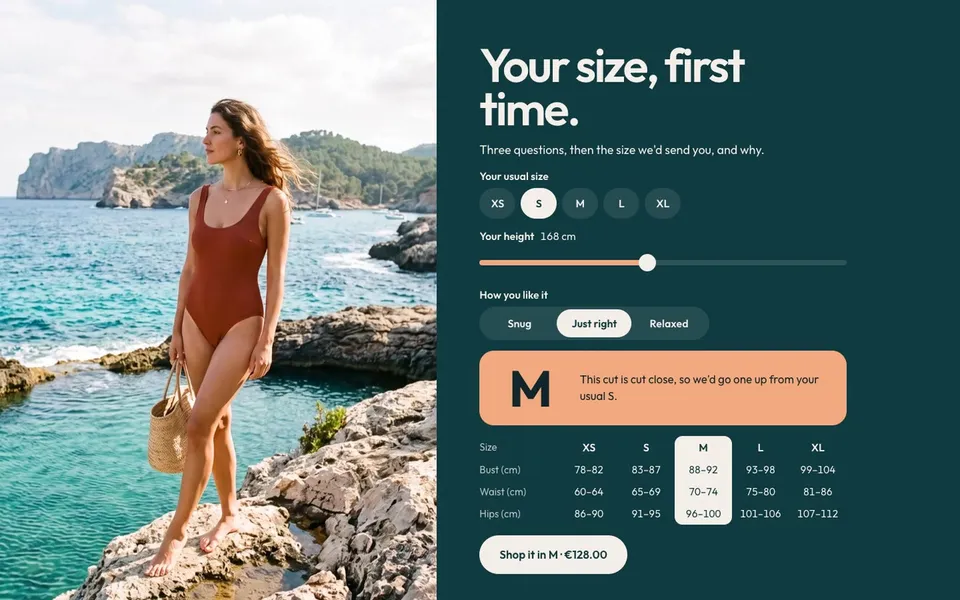
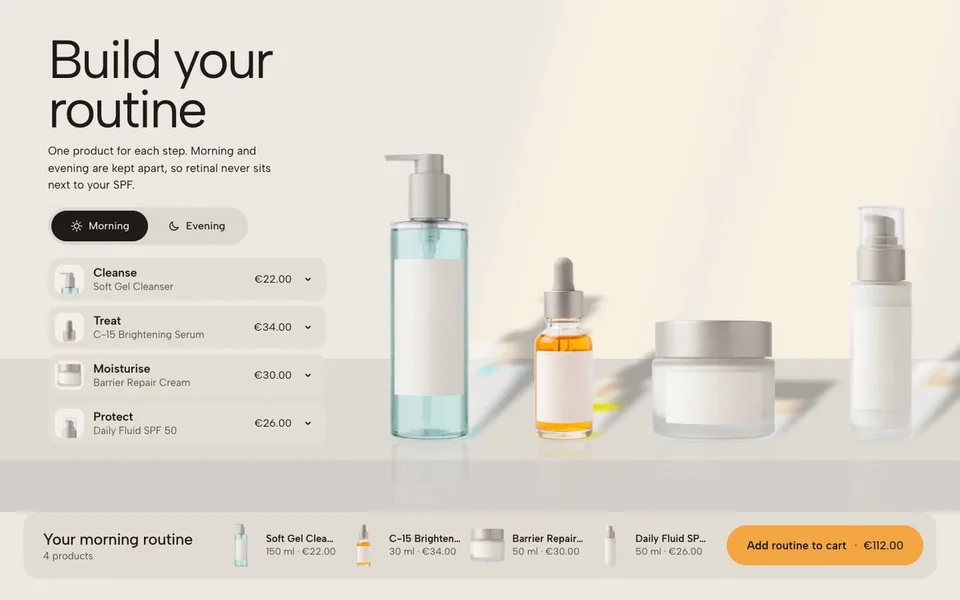
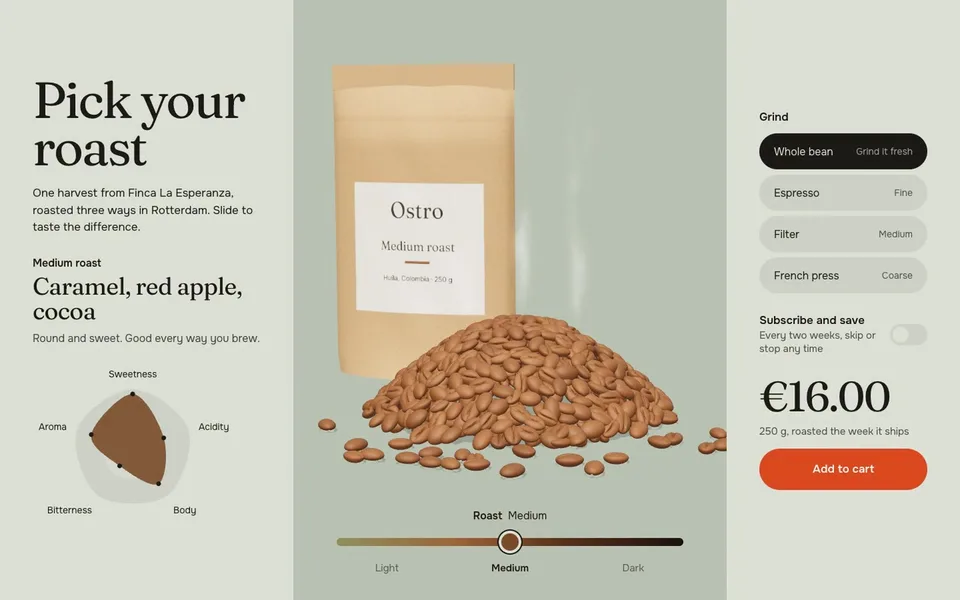
None of these is the tag quiz above. Each solves a narrower problem, and for that problem it's often a better experience than a general quiz.
If you want the scoring above with different rules, such as answers that exclude products or weights per question, a clear prompt in a generator like Klorr can produce a variation in the same one-file form.
Questions, answered
Can I make a product quiz on Shopify without an app?
Yes. A section can hold the questions as blocks, tag your products by answer and rank a collection's products in the page. You give up branching logic, built-in reports and a built-in email flow.
How do Shopify product tags work with a quiz?
Each answer is linked to a tag. The section compares the chosen tags with each product's tags and shows the products with the most matches. Tags are compared as handles, so capitalization and spaces don't matter.
Why not send quiz results to a filtered collection URL?
Combining tags in a collection URL requires a product to have every tag, and if none does, the shopper gets an empty page. Scoring shows the nearest match. A single-tag collection link can still work well as a secondary link.
How many products can a section-based quiz handle?
The example scores 24 products, and you can raise that, but each one adds to the page. It's a good fit for a focused collection of a few dozen products. For a large catalog, a quiz app or a custom search setup scales better.
Can I collect emails in a Shopify quiz without an app?
Yes, with Shopify's customer form and a contact[tags] field. The form reloads the page, so it's less smooth than an email step built into a quiz app, and you should make the marketing consent clear.